How tournament management works · Operator side

Run a tournament, paddle to podium.

Everything an organizer touches in PickleTime lives in one command center, grouped into three plays. You set it up, you run the day, and you post the results. Here's the whole loop, one screen at a time.

01

Setup

Before anyone shows up
  • Edit Tournament
  • Divisions
  • Courts
  • Registrations
02

Day-of

Paddles up, games on
  • Check-In Desk
  • Brackets
  • Matches
  • Schedule
03

Results

Crown the champs
  • Standings
pickletime.ph › tournaments › the-dink-barn
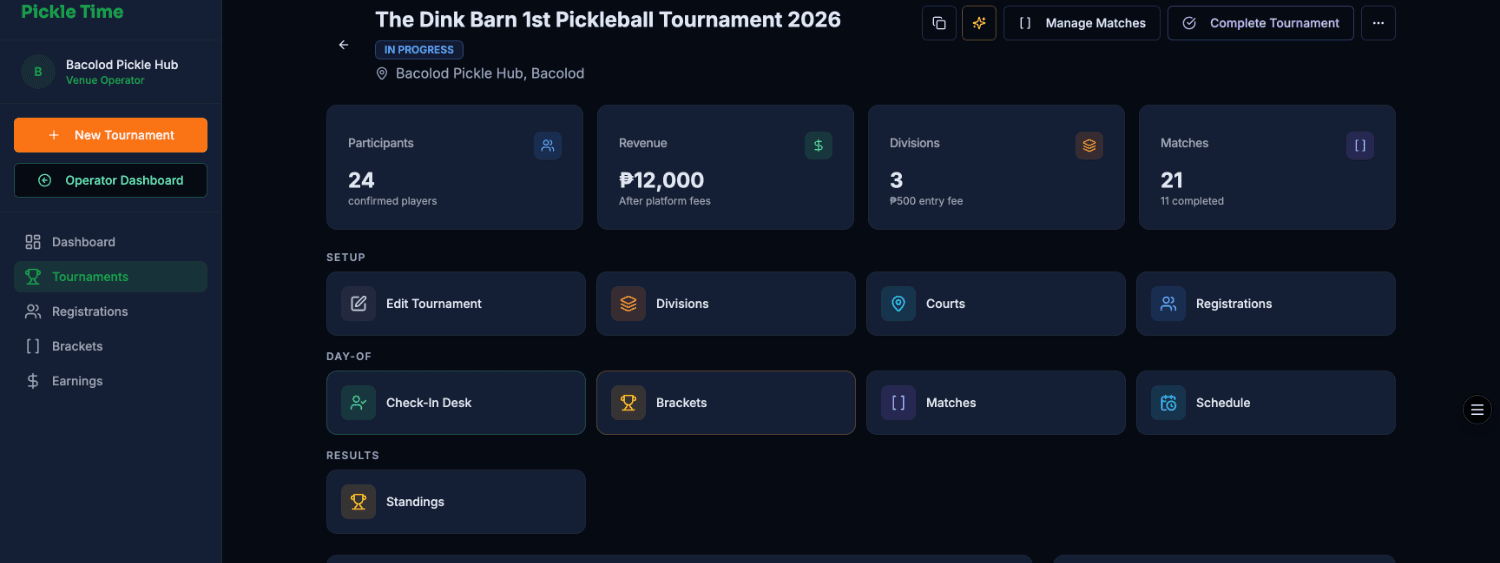
The tournament command center

The tournament page is mission control: live stats up top, then your tools sorted into 1 Setup, 2 Day-of and 3 Results. That's the same order we'll follow below.

01
Setup

Build it before they bring the paddles

Shape the event from end to end: the details, who plays what, where it's played, and who's in.

Setup · 01

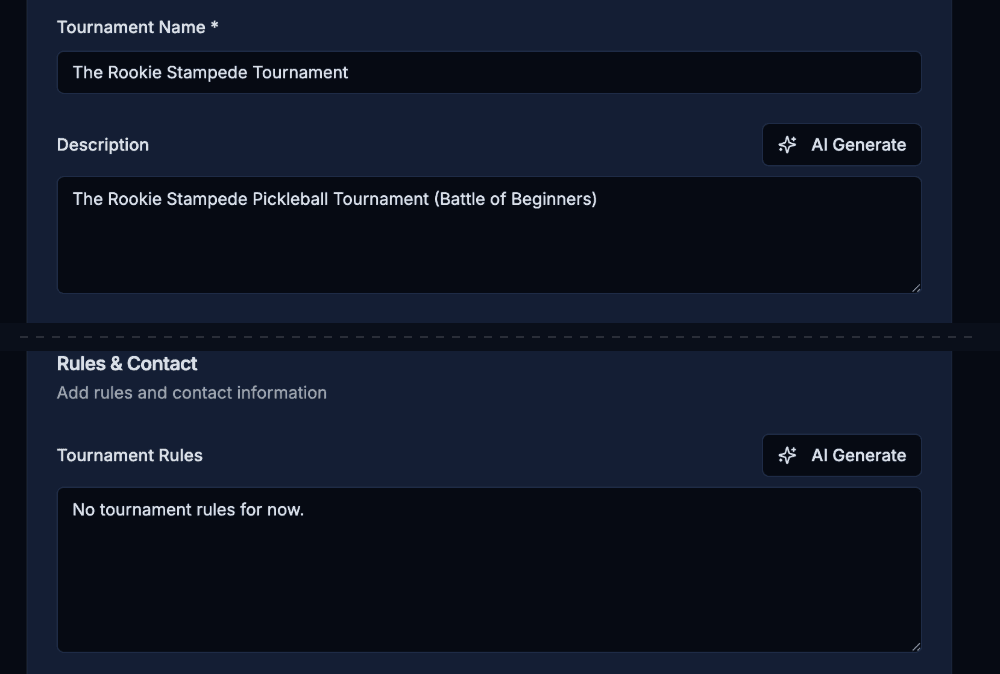
Edit Tournament

This is your single source of truth: name, venue, format, rules, and the key dates. Set it once and every other screen reads from it.

  • 1Set the format and match rules: single elimination, best of 3, a 30-minute cap.
  • 2Spell out the rulebook players agree to, like check-in, conduct, and forfeits.
  • 3Lay out the key dates: registration window, start, and end, all in one timeline.
pickletime.ph › edit
Edit Tournament details
Setup · 02

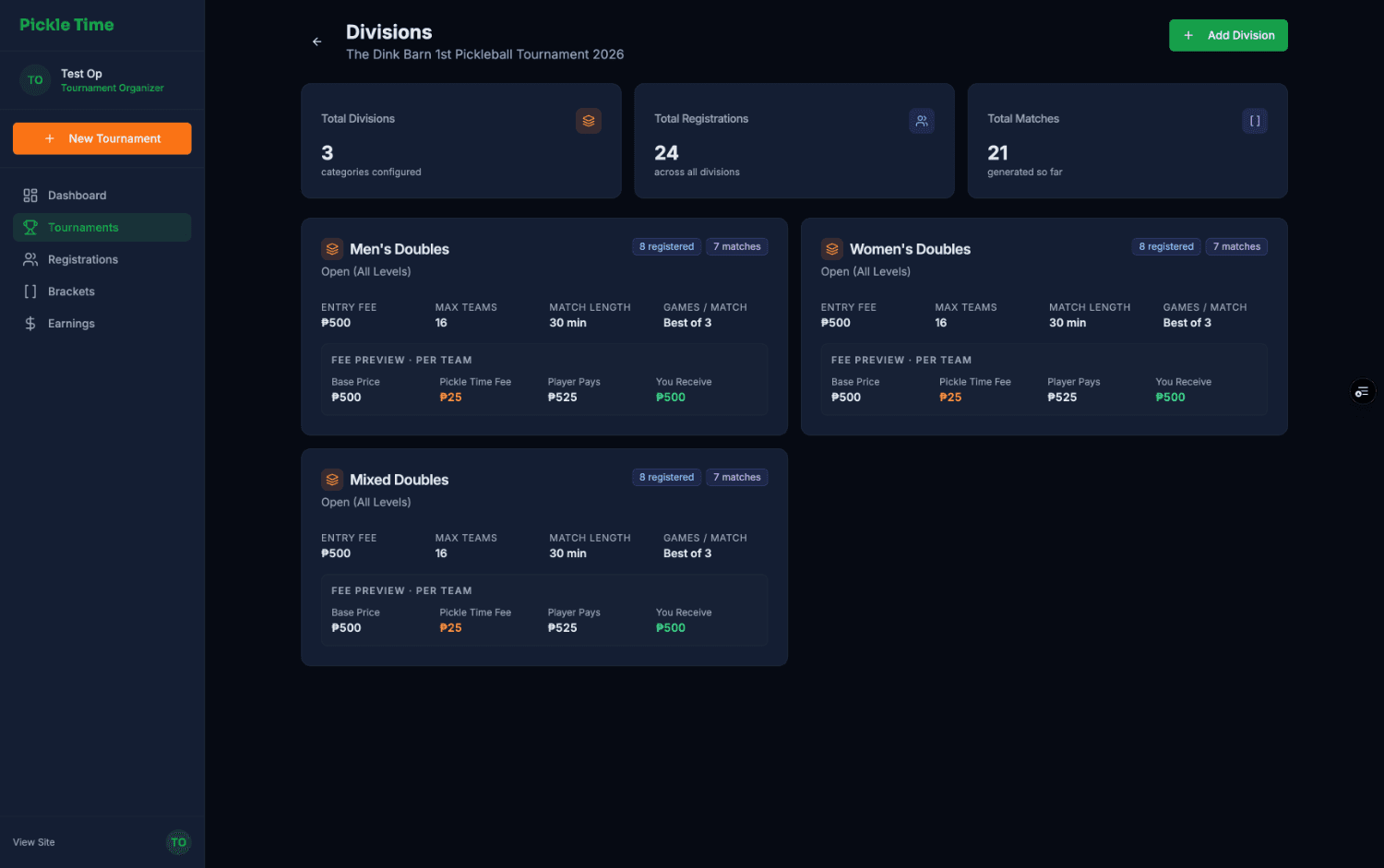
Divisions

Split the field into categories like Men's, Women's, and Mixed, each with its own fee, team cap, and bracket. The fee preview does the peso math for you.

  • 1Add Division spins up a new category in seconds.
  • 2Live totals for divisions, registrations, and matches at a glance.
  • 3Fee preview shows exactly what you pocket per team.
pickletime.ph › divisions
Divisions screen
Setup · 03

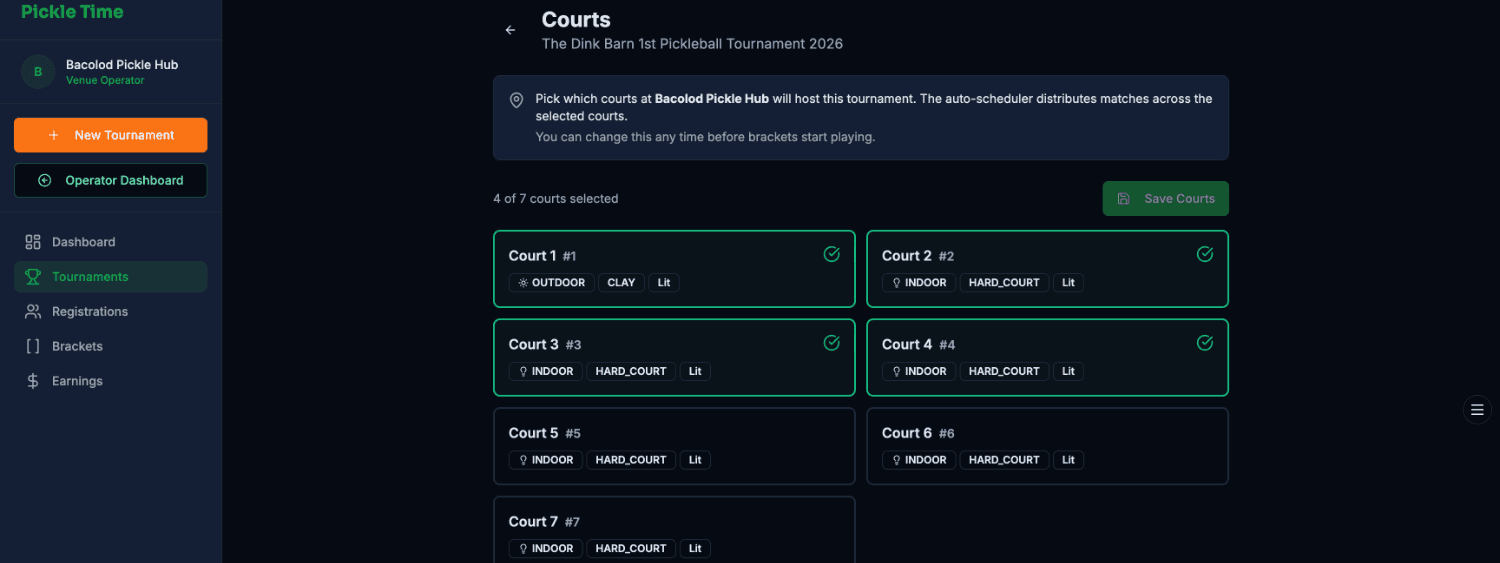
Courts

Pick which courts at the venue are in play. The auto-scheduler later spreads every match across exactly the ones you tick.

  • 1Select and save the courts you want, like "4 of 7 courts selected". You can change it any time before play.
  • 2Each court carries its own tags, like Indoor / Outdoor, surface, and Lit.
pickletime.ph › courts
Courts selection
Setup · 04

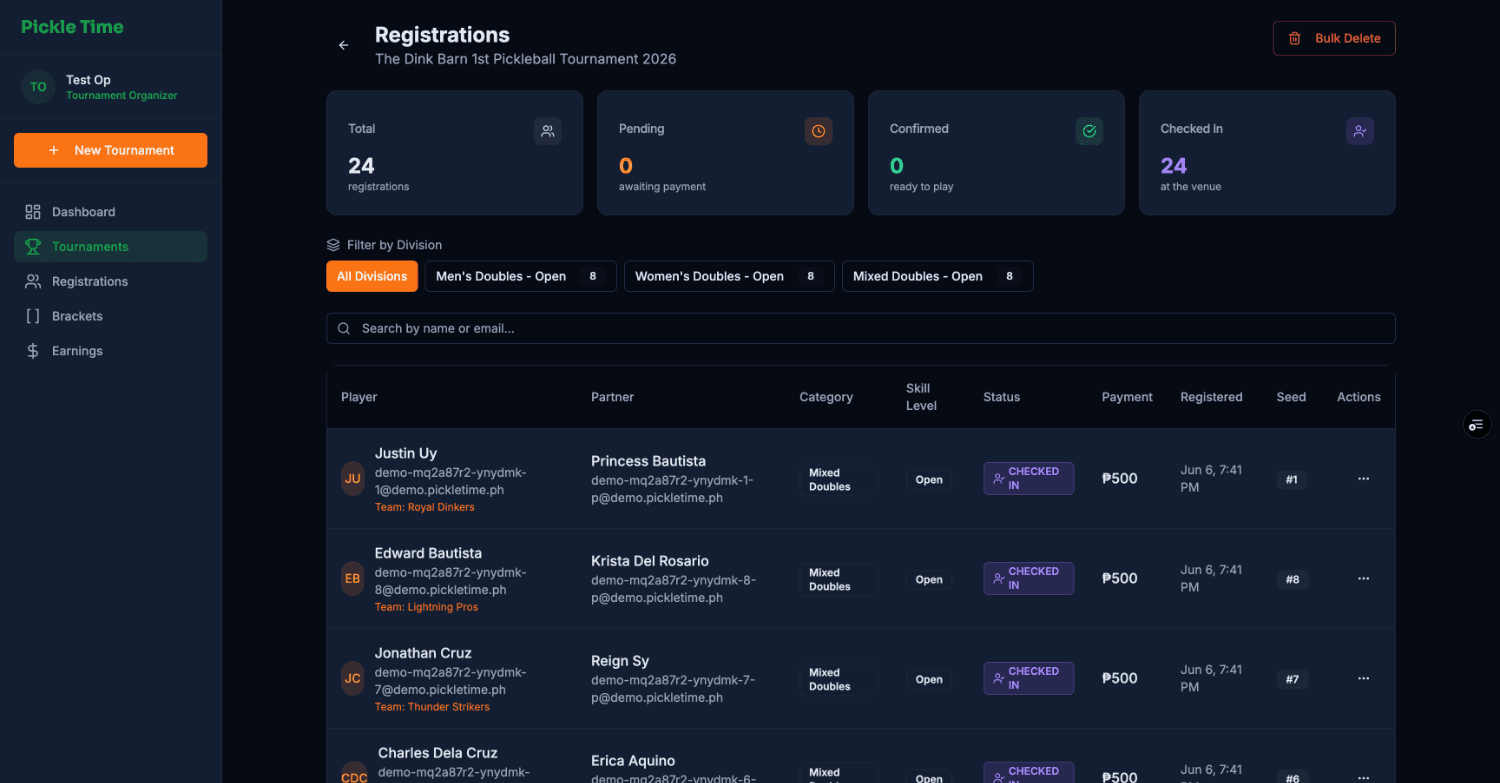
Registrations

Everyone who's signed up, in one searchable table: partners, division, payment, and seed. Filter by division and watch the funnel fill.

  • 1Funnel counters for total, pending, confirmed, and checked-in.
  • 2Filter by division to zero in on one category.
  • 3Per-team status, payment, and seed on every row.
pickletime.ph › registrations
Registrations table
02
Day-of

Paddles up, run the floor

Game day tools: get players in the door, generate brackets, score live, and keep every court humming.

Day-of · 05

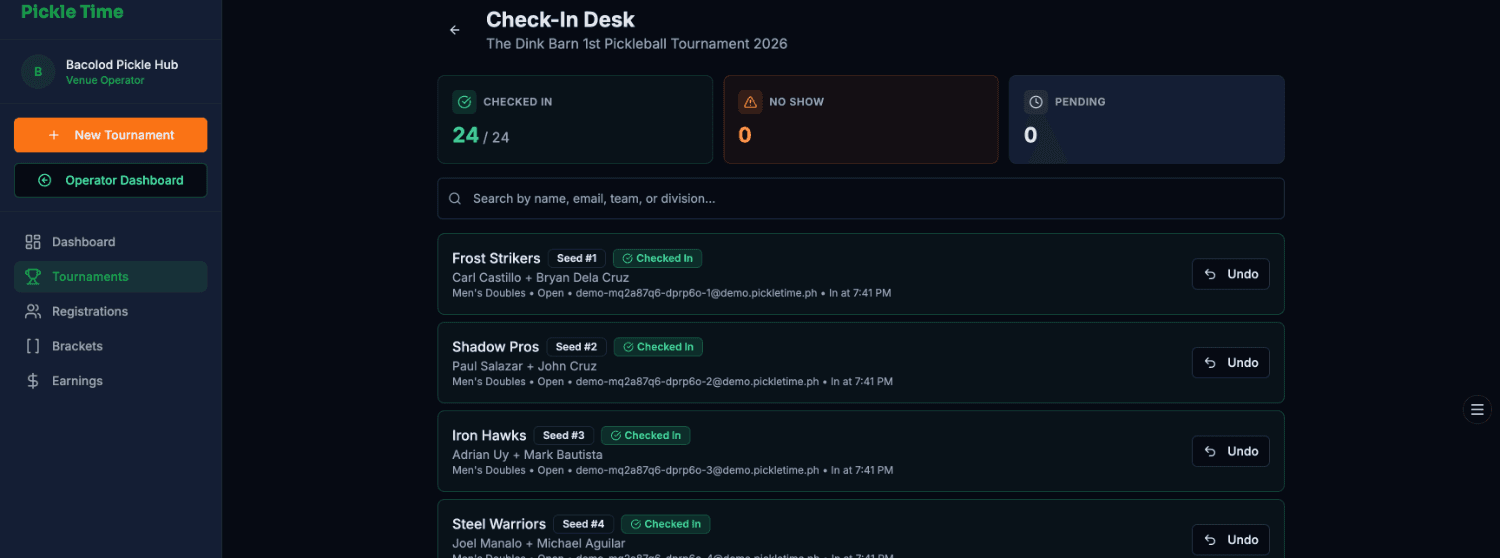
Check-In Desk

This is the front door. Tap teams in as they arrive, and the no-show and pending counts update live so you always know who's actually here.

  • 1Checked-in / No-show / Pending tallies at the top.
  • 2Each row shows the seed, partners, and division, and you can search to find anyone fast.
  • 3Tapped the wrong team? Undo in one click.
pickletime.ph › check-in
Check-In Desk
Day-of · 06

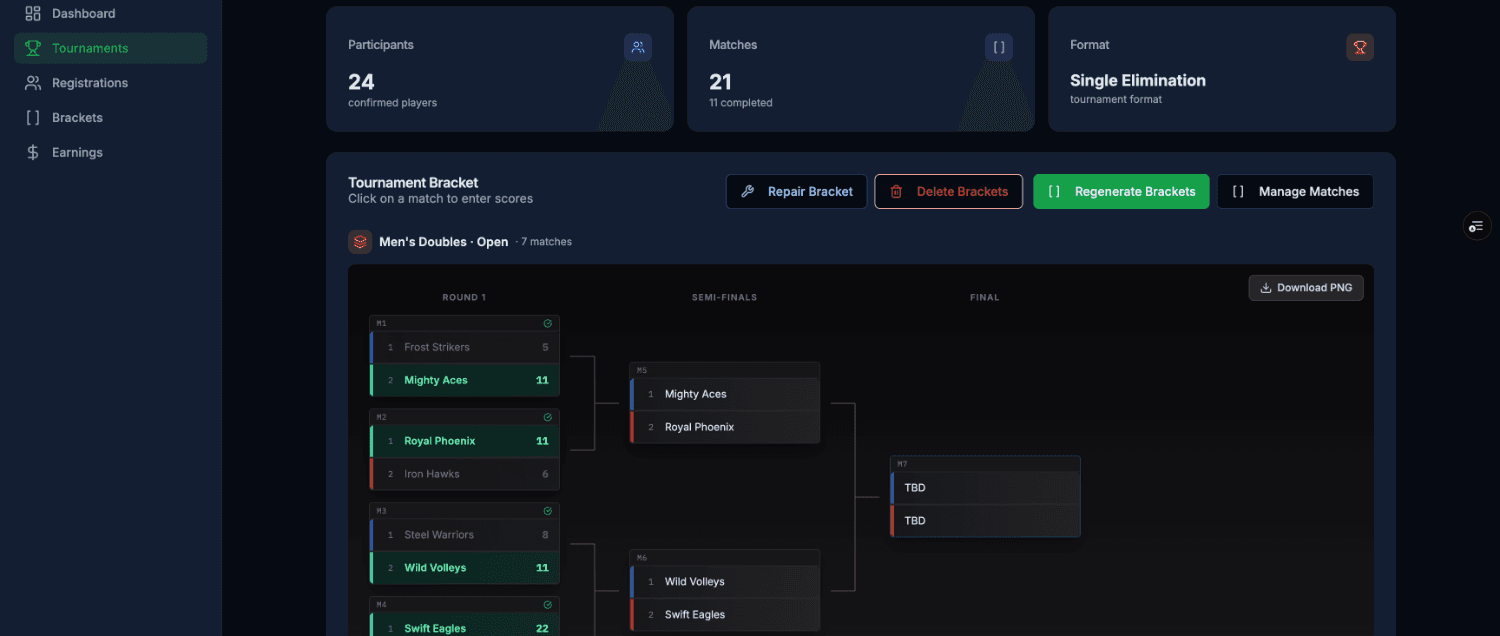
Brackets

One tap builds a single-elim bracket per division from your seeds. After that, just click any match to drop in the score, and winners advance automatically.

  • 1Regenerate, Repair or Delete the whole bracket when seeds change.
  • 2Click a match to enter scores, and the tree fills itself in.
  • 3Download PNG to post the bracket at the desk.
pickletime.ph › brackets
Brackets
Day-of · 07

Matches

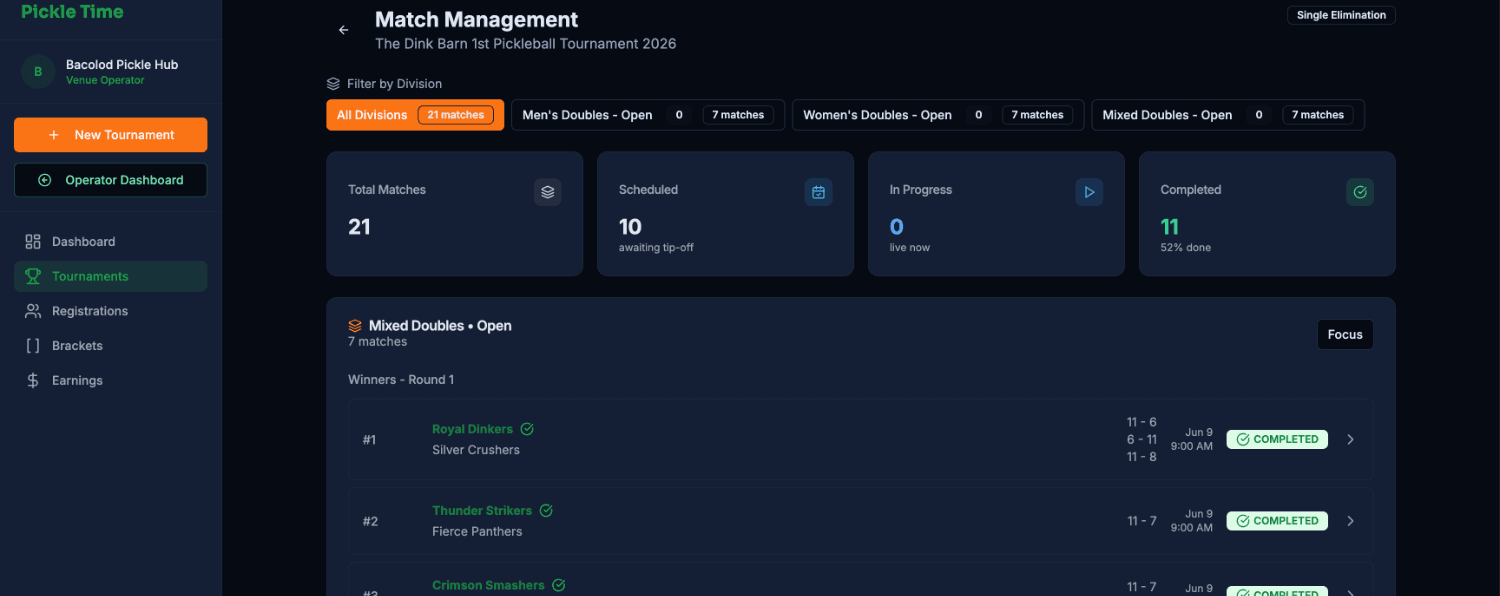
Every match across every division and round in one stream, color-coded by status so you always know what's live, what's done, and what's next.

  • 1Scheduled / In-Progress / Completed counts with % done.
  • 2Tap any match to record game scores, best of 3.
  • 3Focus a single division to declutter the board.
pickletime.ph › matches
Match Management
Day-of · 08

Schedule

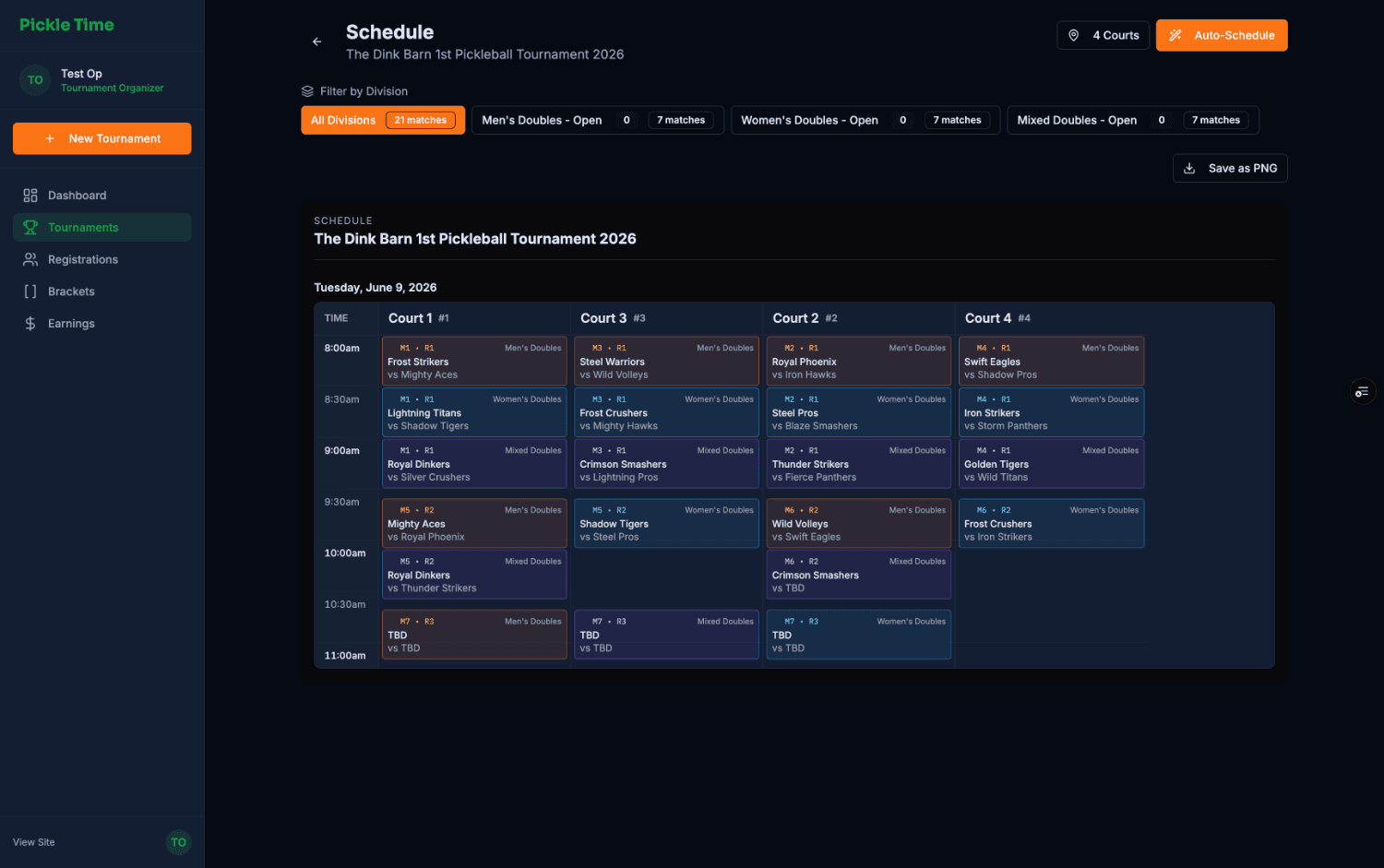
Hit Auto-Schedule and PickleTime lays every match onto a court×time grid with no clashes and no idle courts. Export it as a PNG to pin up.

  • 1Auto-Schedule distributes matches across your chosen courts.
  • 2Read it like a timetable, with court columns and time rows.
  • 3Each block shows division, round & matchup at a glance.
pickletime.ph › schedule
Schedule grid
03
Results

Crown the champs

As scores land, the leaderboard sorts itself. Settle ties, then complete the tournament.

Results · 09

Standings

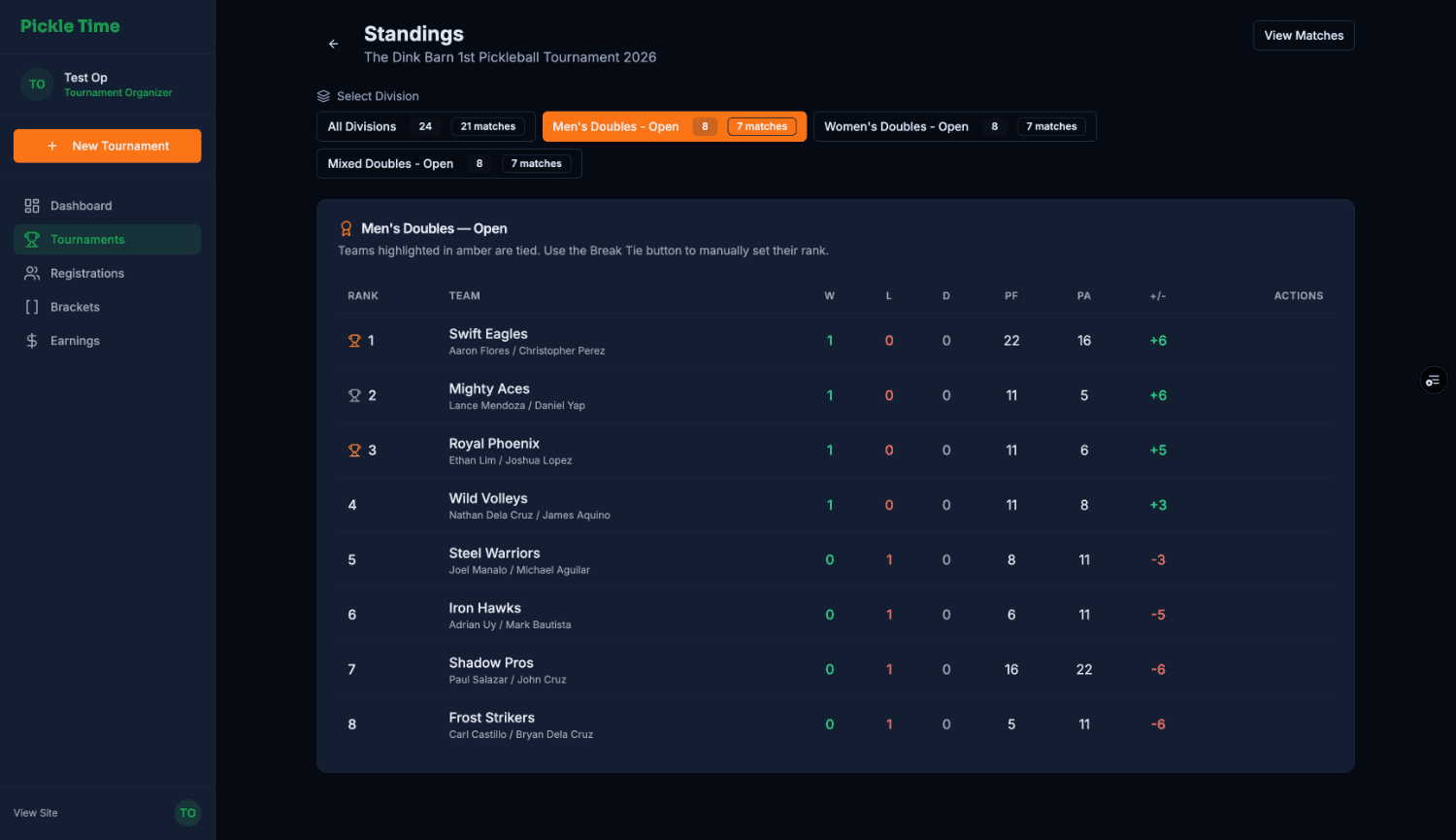
A live leaderboard per division: wins, losses, points for and against, and differential, all ranked automatically with trophies up top.

  • 1Switch divisions to see each leaderboard.
  • 2Trophy ranks 1–3, sorted by record then point diff.
  • 3Tied teams glow amber, so use Break Tie to set the order by hand.
pickletime.ph › standings
Standings
+
Glossary

Pickle-speak, decoded

The handful of terms that show up across the operator console.

Division
A category teams compete in, like Men's Doubles · Open. Each has its own fee, cap, and bracket.
Seed
A team's ranking going in (#1, #2…). Higher seeds get an easier path early in the bracket.
Entry / Base Fee
What a team pays to join. The fee preview splits it into the platform fee versus what you receive.
Check-In
Confirming a team is physically present and ready. Must happen before they're slotted to play.
Bracket
The tournament tree. In single elimination, one loss and you're out.
Single Elimination
Knockout format. Lose once and you're eliminated, with no consolation rounds.
Round
A stage of the bracket, like Round 1 → Semis → Final. Winners advance, losers drop.
Best of 3
A match is decided over up to three games to 11, win by 2. First to two games takes it.
Auto-Schedule
One tap that spreads every match across your selected courts and time slots, clash-free.
Walkover
An automatic win when an opponent forfeits or no-shows, recorded as 2-0 in games.
Forfeit
A team isn't ready within the grace window, so the match is awarded to their opponent.
PF / PA
Points For / Against, the total points a team scored versus gave up across matches.
+/− (Differential)
PF minus PA. It's the tiebreaker after wins, and a bigger number ranks higher.
Break Tie
Manually set the order when two teams are dead even, so the final ranking is unambiguous.
Standings
The live leaderboard per division: W-L-D, PF, PA, and differential, auto-sorted.