How registration works · Player side

Find a tournament, grab a partner, go play.

Signing up only takes a minute. You browse what's on, open a tournament, pick your division, add your partner, and pay. Then you're on the bracket. Here's how it works, from couch to court.

01

Discover

Find your next match
  • Browse Tournaments
  • Open the Tournament Page
02

Register

Claim your spot
  • Pick a Division
  • Add Your Partner
03

Pay

Lock it in
  • Review & Pick a Method
  • Scan, Upload & Submit
01
Discover

Find a tournament worth showing up for

Browse what's happening near you, then open one to see the full details before you sign up.

Discover · 01

Browse Tournaments

Every open event is in one place. You can search by city, filter by skill level, and get the gist of each card at a glance.

  • 1Search by city and filter by skill level to find games near you.
  • 2Status badges like Open, In Progress, or Registration Closed tell you what you can still join.
  • 3Each card shows the date, how many players are in, the format, and the price.
pickletime.ph › tournaments
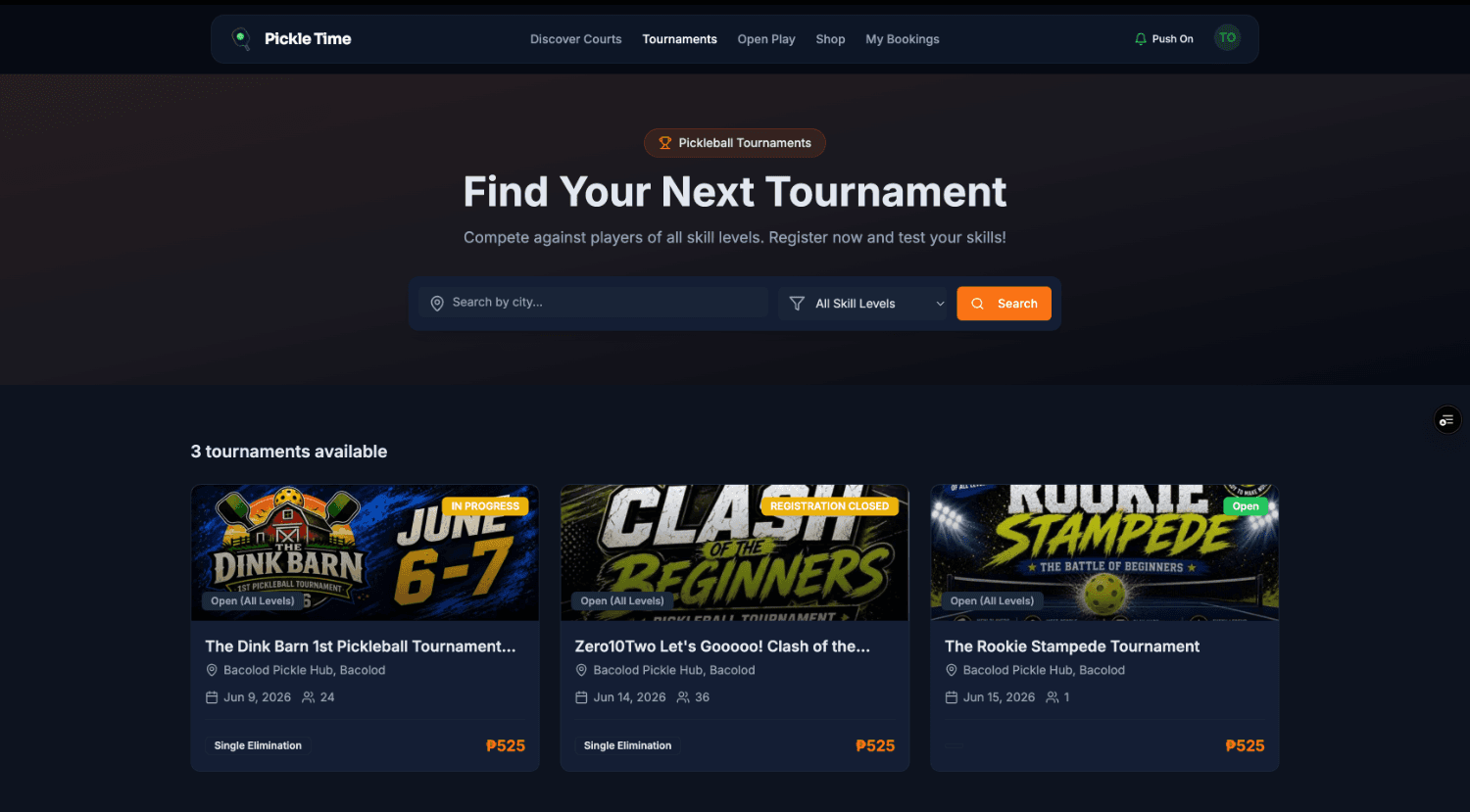
Browse tournaments
Discover · 02

Open the Tournament Page

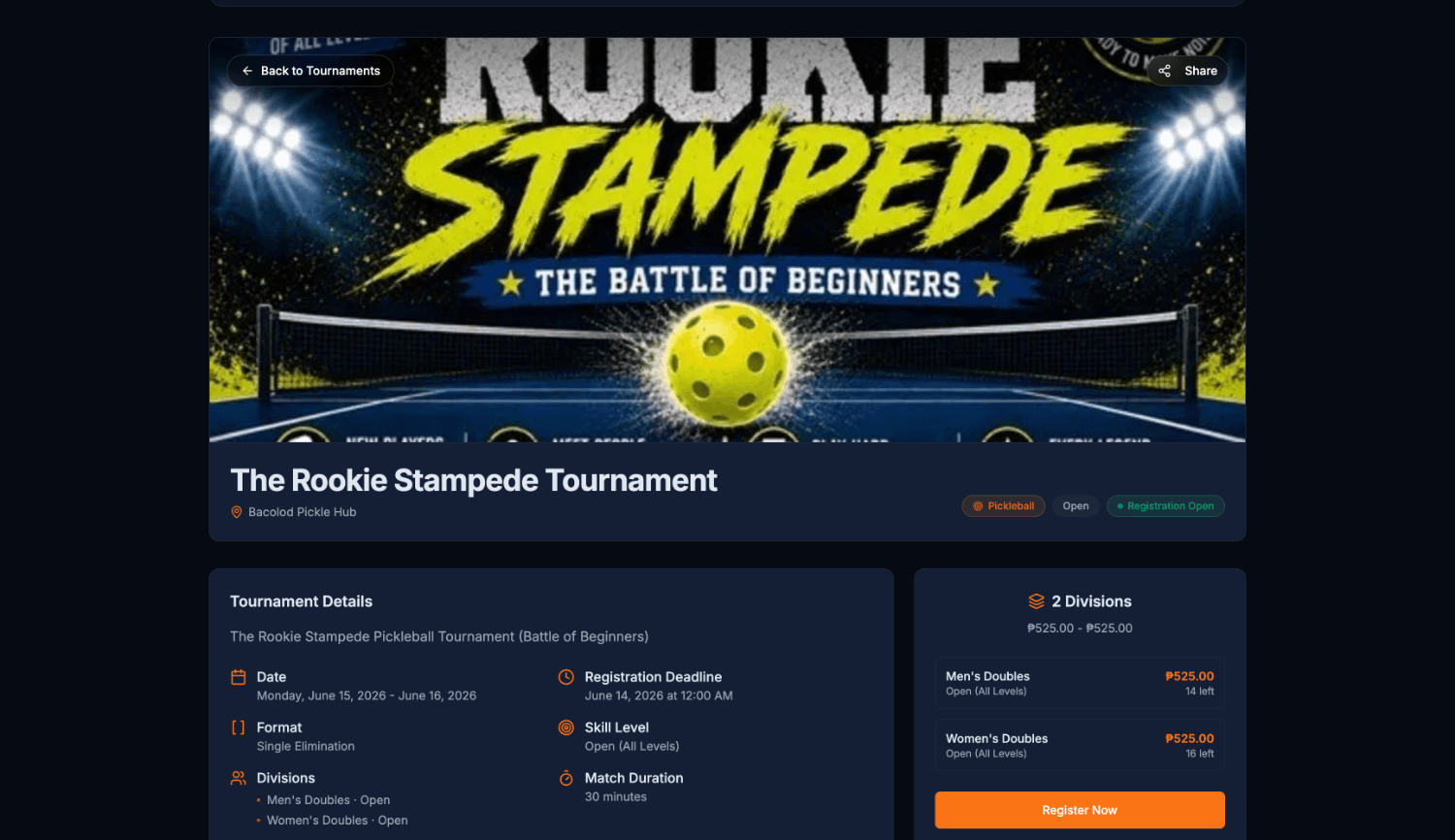
Here's the full rundown: the poster, dates, format, and the divisions on offer. When you're ready, hit Register Now.

  • 1All the essentials are up front: date, format, deadline, and skill level.
  • 2The divisions panel shows the price and how many spots are left.
  • 3Register Now starts the sign-up. That's the next three taps.
pickletime.ph › rookie-stampede
Tournament detail page
02
Register

Claim your spot in two quick steps

Pick where you'll play, add your partner, and you're nearly on the bracket.

Register · 03

Pick Your Division

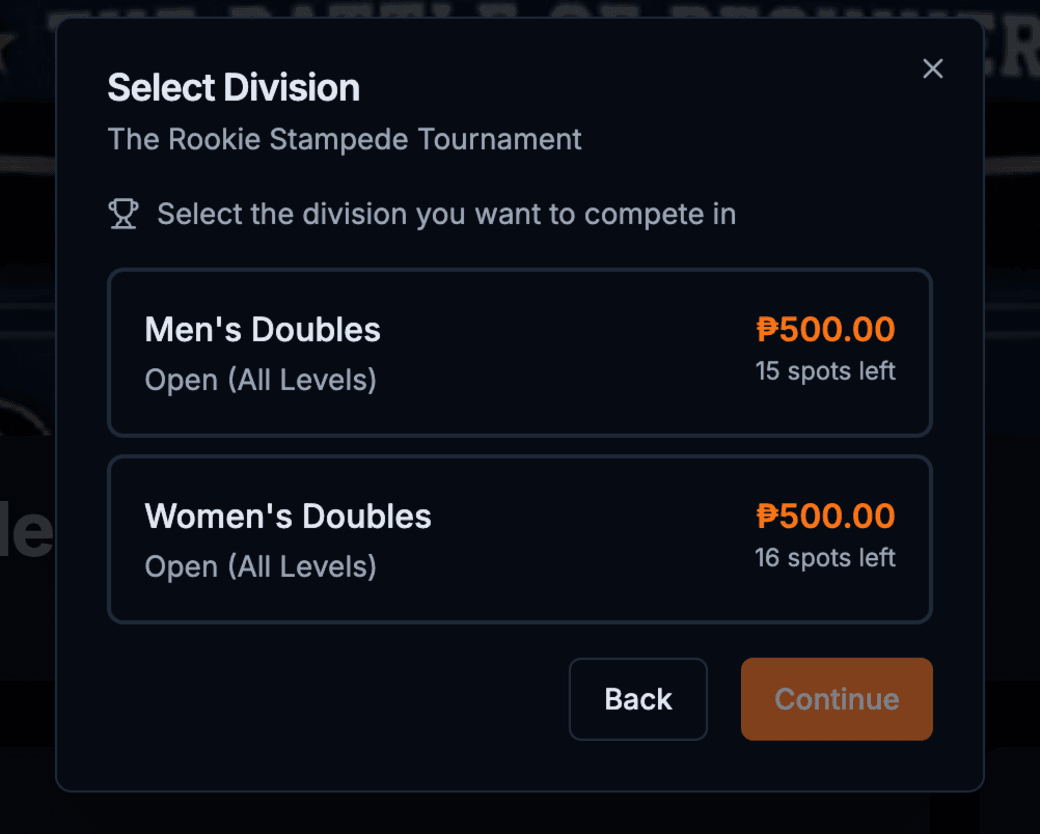
Choose the category you want to play in, whether that's Men's, Women's, or Mixed Doubles. Each one shows its price and how many slots are left.

  • 1Tap a division to see its price and how many spots are left.
  • 2Hit Continue to move on to your partner.
select division
Select division modal
Register · 04

Add Your Partner

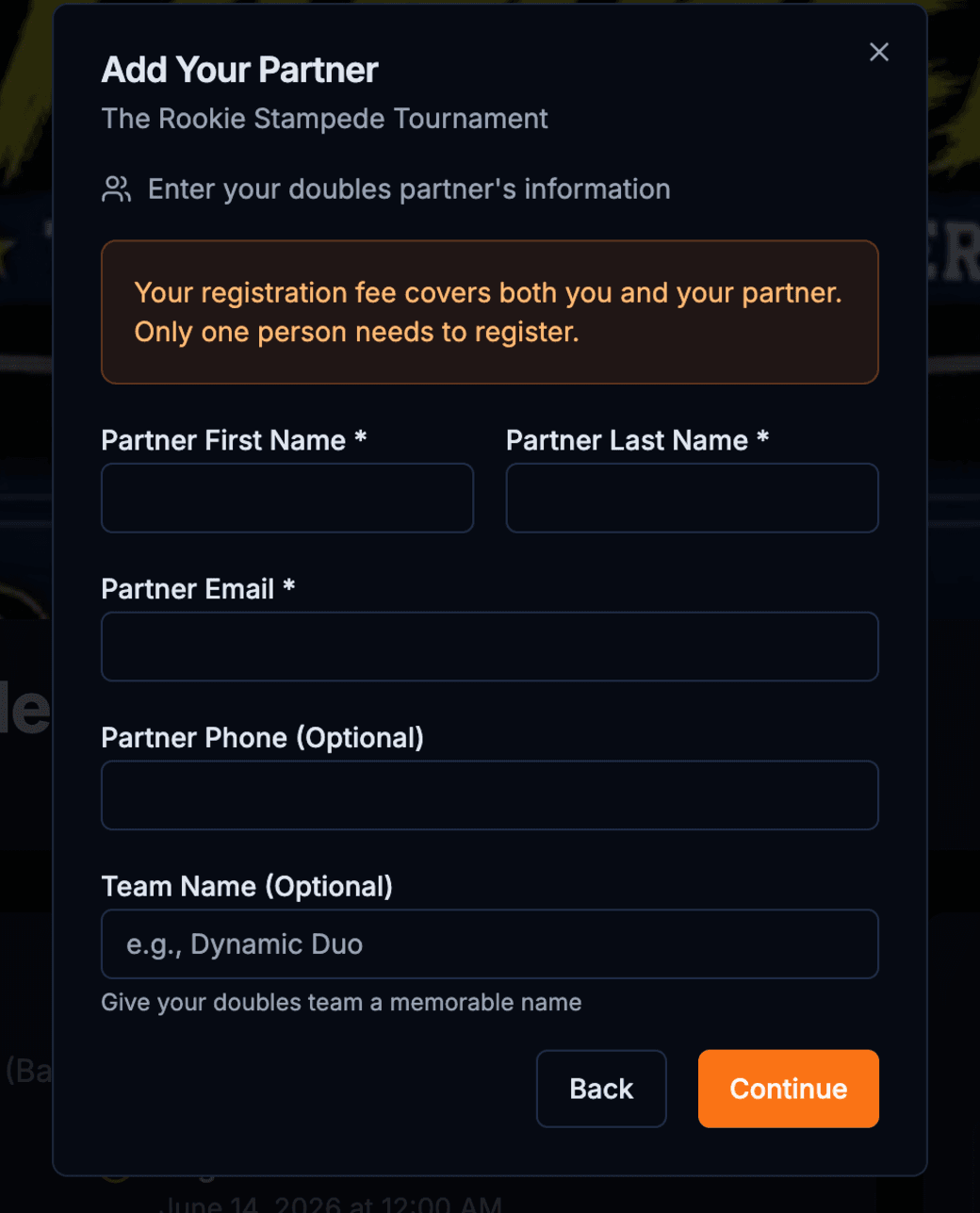
Doubles needs two. Enter your partner's details once, and a single registration covers you both.

  • 1One fee covers two players, so only one of you needs to register.
  • 2Add your partner's name and email. Their phone number is optional.
  • 3Give your duo a team name. It's optional, but a lot more fun.
add partner
Add partner modal
03
Pay

Lock in your slot

See exactly what you're paying, settle up with the wallet you like, and upload proof to confirm.

Pay · 05

Review & Pick a Method

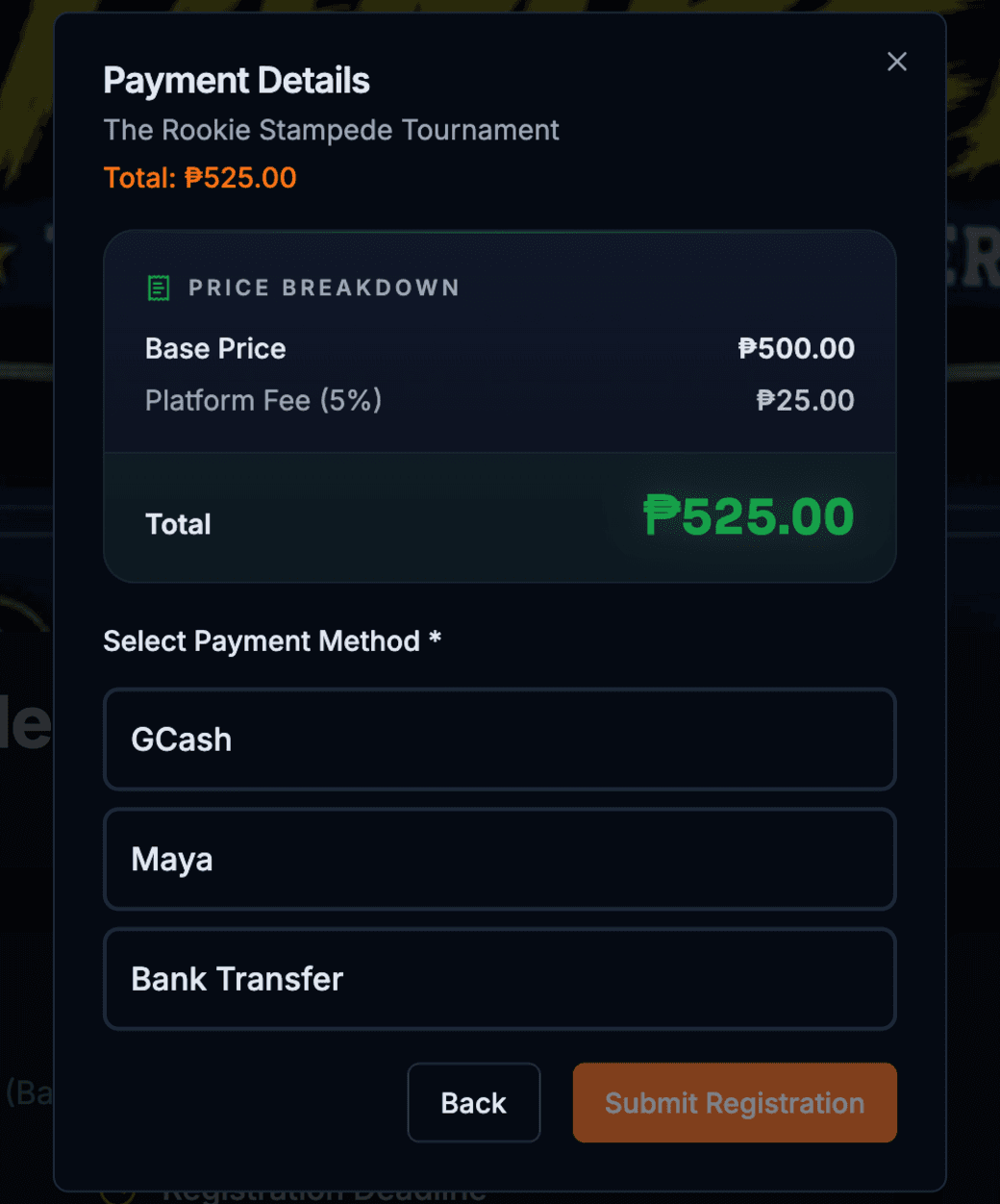
There are no surprises here. The breakdown shows the base price plus a small platform fee, then you choose how to pay.

  • 1The breakdown shows the base price plus a 5% platform fee, which adds up to your total.
  • 2Pay with GCash, Maya, or a bank transfer.
  • 3Hit Submit Registration once you've picked a method.
payment details
Payment details modal
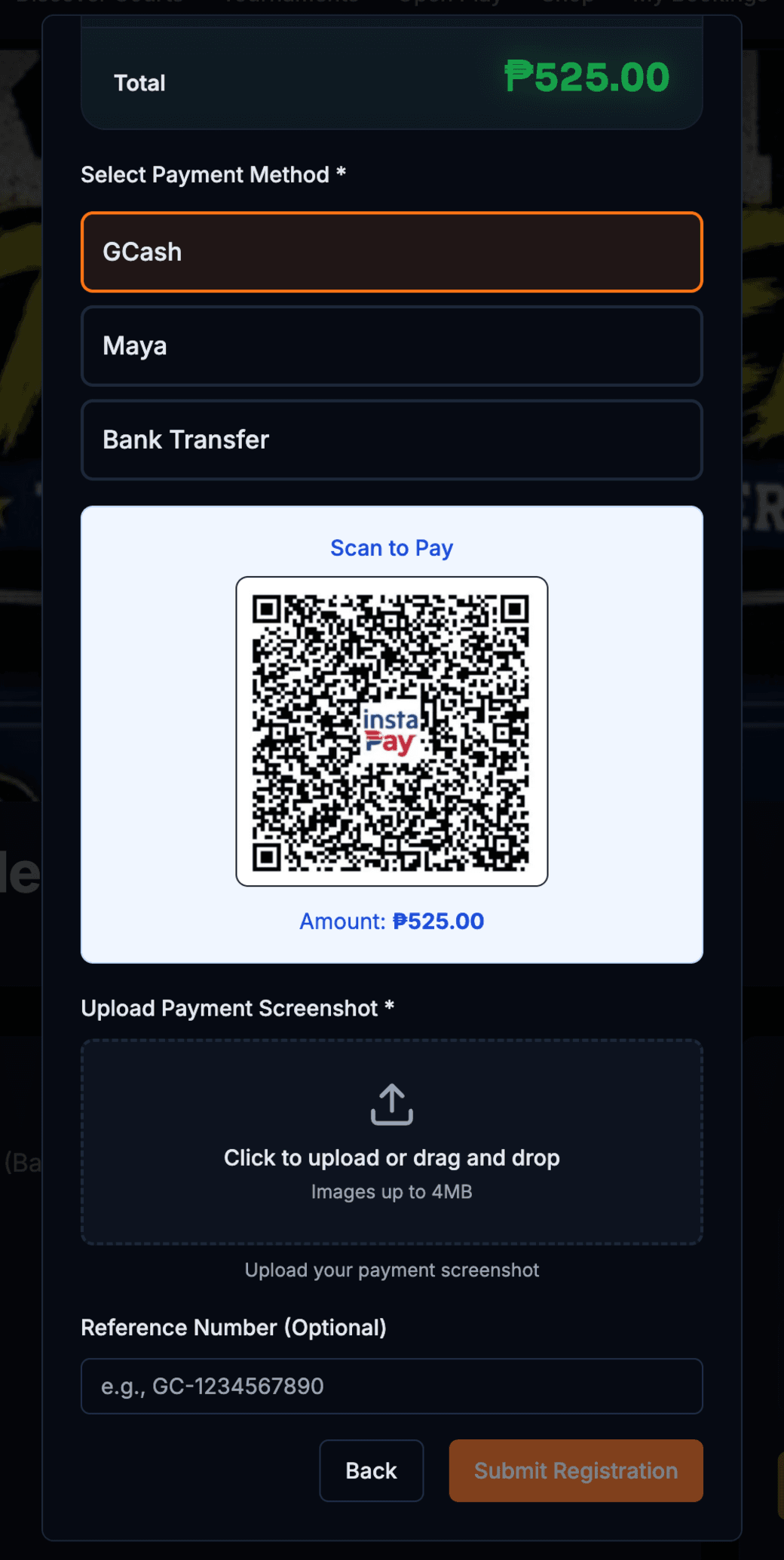
Pay · 06

Scan, Upload & Submit

Scan the QR to pay, take a screenshot of your receipt, drop it in, and submit. Your spot is reserved as soon as it's confirmed.

  • 1The Scan to Pay QR already has your exact total filled in.
  • 2Upload your payment screenshot as proof. A reference number helps too.
  • 3Hit Submit Registration and you're in. See you on the court.
scan to pay
Scan to pay modal
+
Good to know

A few things before you sign up

The small stuff that makes registration painless.

Pick your division
Men's, Women's, or Mixed: pick where you'll compete before you pay. You can enter more than one.
Spots are limited
Every division shows how many spots are left. The popular ones fill up fast, so grab yours early.
One fee, two players
Your entry covers you and your partner, so only one of you needs to register and pay.
What's the platform fee?
Pricing adds a small 5% Pickle Time fee on top of the base entry. The total you see is the total you pay.
Keep your receipt
Pay with GCash, Maya, or a bank transfer, then upload the screenshot so the organizer can confirm your slot.
Check in on the day
Arrive early and check in at the desk so you're slotted into your matches on time.